
Get Your VR Devices Classroom-Ready
Secure devices with kiosk mode & custom in-headset experiences
Keeps students on task with real-time classroom monitoring
Protect student data with enterprise-grade security
Jefferson County Public Schools
Trusted by 900+ schools worldwide






The foundation for using VR in the classroom

For educators
Launch VR content across headsets, guide students remotely, and spend less time troubleshooting.

For administrators
Scale VR programs across schools with centralized control, visibility into usage, and classroom-ready headsets.

For IT teams
An MDM built for VR. Monitor device health, configure Wi-Fi certs, and lock devices with kiosk mode.

Pat Clark
Director, Immersive Media Lab

Amber Coeur
CEO

Bharani Rajakumar
CEO

Athena Barrios
STEM Integration Manager

Shannon Putman
Special Education Teacher and VR Expert

Anurupa Ganguly
CEO

Adam Mangana
Executive Director

Donna Dubinsky
Director Of Technology at Rectory School

Name
Title

Control student access with the ManageXR Home Screen
Choose which apps and content students see and block access to web browsers, social media, and device settings.
Design an engaging, easy-to-use VR experience for your students. Customize your headsets with your school's colors and logo.
ManageXR branding is never shown to students.
Experience complete classroom control with Rooms
Create a lesson plan and prepare content in advance.
Monitor your classroom's headsets and keep students on-task.
Use commands to launch or pause content in real-time.
.png)
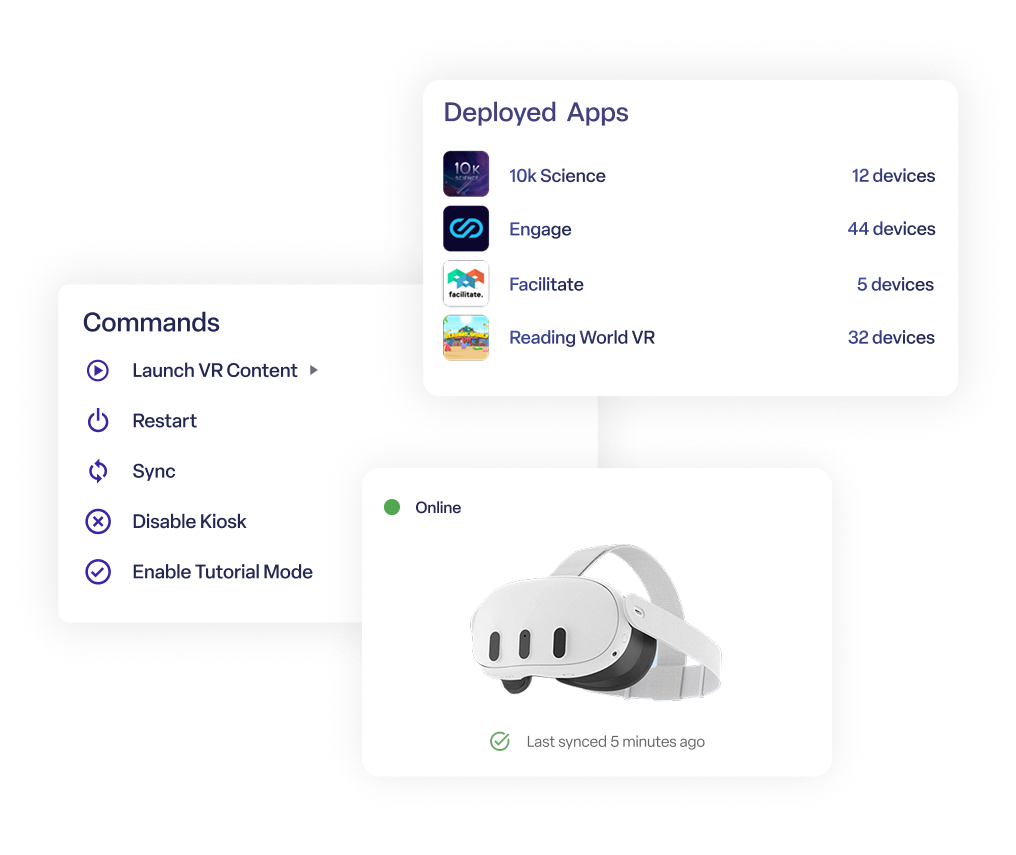
Comprehensive device management, built for VR
Monitor device health, update apps, and configure Wi-Fi from one dashboard.
Leverage real-time commands to guide students through different apps.
Access 3rd party content directly through ManageXR.
Special discounts for educators
Flexible plans designed for schools and districts
per device, per month
Deploy & update apps remotely
Launch VR content remotely for guided lessons
Secure single-app kiosk mode
Control firmware updates PICO & META
Set Wi-Fi networks and certs
Access global support
per device, per month
Everything included in Essential
Deploy 360, 180, 2D videos, and WebXR Links
Secure multi-app home screen and 3D home environment
Access to more remote commands
Remotely stream screens
View usage data analytics and charts
per device per month
Everything included in Premium
Single sign-on (SSO)
Priority support
Professional services and custom development
Compatible with the leading VR & AR headsets.





FAQs
How do I purchase ManageXR?
Purchasing ManageXR is simple. Start by creating a ManageXR Account. Navigate to your account in the top right corner and select Subscription from the drop-down menu. Select Start a Subscription and choose the number of devices, tier, and billing frequency. Add a default Payment method or multiple payment options. Select Update Subscription and you’re all set to start using ManageXR!
How are payments processed?
We use Stripe to process automated billing and subscription changes. We support credit cards, ACH, and Wire Transfer for net 30 invoices.
What happens after my free trial ends?
The ManageXR trial is a 30-day free trial. Once your free trial ends, you will need to purchase a subscription plan to continue using ManageXR. All of your settings and data will be retained from the trial, so you can seamlessly transition to your chosen plan without any interruption.
Do you offer any discounts?
Yes, we offer discounts for annual billing (up to 17% off) and for educational and non-profit organizations. We also offer discounts for large quantities or unique billing inquiries. Please contact our sales team for more information at sales@managexr.com.
Join 900 schools that trust ManageXR
Meet with a VR expert and experience the difference

